LOLDocs: Sideloading in Signed Office Files
Pieter Ceelen (Outflank), Dima van de Wouw (Red teamer and offensive developer · Outflank)
BruCON 0x0E · Day 2
Overview
In the BruCON 2022 talk "LOLDocs: Sideloading in Signed Office Files," Pieter Ceelen and Dima van de Wouw of Outflank unveiled a series of critical vulnerabilities and insecure coding patterns within Microsoft Office documents, particularly those that are digitally signed. The presentation exposed how attackers can leverage these patterns to execute malicious code with a high degree of trust, bypassing many conventional security controls. The core thesis revolves around the concept of "LOLDocs" – taking legitimate, signed Office files out of their intended context and manipulating them to sideload unsigned, attacker-controlled resources.
Key moments
- 0:00 Introduction to LOLDocs and Office code signing vulnerabilities
- 6:30 Office hardening complexities and interwoven security settings
- 7:55 Vulnerability 1: Microsoft signed add-in loading unsigned XLL
- 18:30 Vulnerability 2: DLL hijacking using relative 'Declare' calls
- 24:00 Vulnerability 3: Trust forwarding via Application.Run
- 33:00 Summary: Key takeaways for defenders and red teamers
- 38:00 Q&A: Mark of the Web and indefinite signed document validity
LOLDocs: Sideloading in Signed Office Files
Speakers: Pieter Ceelen; Dima van de Wouw (Red teamer and offensive developer, Outflank)
Conference: BruCON
YouTube: https://www.youtube.com/watch?v=ll-ViQT9Oew
Overview
In the BruCON 2022 talk "LOLDocs: Sideloading in Signed Office Files," Pieter Ceelen and Dima van de Wouw of Outflank unveiled a series of critical vulnerabilities and insecure coding patterns within Microsoft Office documents, particularly those that are digitally signed. The presentation exposed how attackers can leverage these patterns to execute malicious code with a high degree of trust, bypassing many conventional security controls. The core thesis revolves around the concept of "LOLDocs" – taking legitimate, signed Office files out of their intended context and manipulating them to sideload unsigned, attacker-controlled resources.
The research is highly significant for both offensive and defensive security practitioners. For red teams, it provides novel techniques for initial access, lateral movement, and long-term persistence in environments that rely on Office macro security and trusted publisher settings. For blue teams, it highlights the profound complexity of Office security configurations, the inherent risks associated with trusted publisher models, and the urgent need for more rigorous code review processes for any signed Office content. The speakers demonstrated that even Microsoft's own signed add-ins contain these exploitable patterns, underscoring the widespread nature of the problem.
This talk is particularly pertinent in an era where organizations are increasingly adopting stricter security policies for Office macros, often relying on digital signatures to differentiate legitimate code from malicious payloads. Ceelen and van de Wouw systematically dismantled the assumption that a valid digital signature automatically equates to secure execution, revealing that the trust placed in a signed document can be inadvertently extended to unsigned, malicious components through various sideloading and trust-forwarding mechanisms. Their findings necessitate a re-evaluation of current Office security strategies and a deeper understanding of how Office applications interact with external resources.
Background
▶ Watch: Introduction to LOLDocs and Office code signing vulnerabilities (0:00)
The journey into LOLDocs began with the observation that many organizations are attempting to "harden the hell out of Office" by implementing stricter macro security, often requiring digital signatures for VBA code execution. However, the speakers quickly demonstrated that this approach is fraught with complexity and often leads to a false sense of security. Their initial investigations, sparked by the discovery of a Microsoft-signed vulnerability a year prior, revealed a deeper systemic issue.
A common naive approach to Office security involves disabling unsigned VBA macros and allowing only digitally signed ones. However, even with this setting, a self-signed document will still present a "yellow bar" warning to the user, indicating that macros are present. To bypass this, administrators might configure Office to "never show information to the user anymore" via message bar settings. While this hides the yellow bar, the speakers found that it does not prevent security dialogues from appearing for certain file formats, specifically Excel add-ins (XLA/XLAM). An unsigned XLA/XLAM file might not show a warning, but a self-signed one will trigger a dialogue, which is not blocked by the message bar settings. This immediately suggests a method for signature transposition, where content from a signed workbook can be moved into a different, more permissive file format to elicit a convincing user interface pop-up.
Further attempts to block add-ins through general add-in configuration settings (blocking COM, VSTO, and other add-ins) also proved ineffective against XLA/XLAM files, highlighting a disconnect between configuration intentions and actual security outcomes. The only effective way to block these add-ins was through a highly unintuitive "file type settings" interface, where specific add-in file types must be explicitly set to "do not open." This labyrinthine configuration process underscores the core problem: Office security settings are incredibly complex, "intertwingled" with other security features (like trusted locations impacting AMSI), and prone to misconfiguration. This complexity creates an environment where insecure coding practices within signed documents can thrive unnoticed, leading to the vulnerabilities explored in the talk. The speakers emphasized that companies will inevitably fail to secure Office perfectly given this complexity, creating ripe opportunities for attackers.
Key Findings
▶ Watch: Vulnerability 1: Microsoft signed add-in loading unsigned XLL (7:55)
The central discovery of the LOLDocs research is the identification of four distinct, common, and exploitable coding patterns found within digitally signed Microsoft Office files. These patterns enable the sideloading or DLL hijacking of attacker-controlled, unsigned code from a context that is inherently trusted by the operating system and Office applications. This trust inheritance is the critical enabler for bypassing several layers of defense.
The key findings can be summarized as follows:
- Widespread Vulnerability in Signed Code: The patterns were not isolated to obscure files but were found in Microsoft's own publicly distributed and signed add-ins (e.g., Analysis ToolPak, Solver Add-in), as well as add-ins from other vendors, public code repositories like GitHub, and Stack Overflow examples. This indicates a systemic issue in how developers handle external resource loading within VBA and XLL code.
- Trust Bypass Mechanisms: By leveraging these patterns, attackers can execute malicious payloads that inherit the trust of the signed document. This effectively bypasses the "trusted publisher" model, where organizations typically permit execution only from known, signed sources. Since the initial, signed document is trusted, the subsequent loading of unsigned malicious components often proceeds without explicit user warnings or security prompts.
- Evasion of Security Controls: The exploitation of signed documents provides a potent method for evading common security controls. Specifically, it can bypass the Mark-of-the-Web (MotW) for internal operations (lateral movement, persistence), as files originating from within the network often lack this flag. Furthermore, code running from a trusted signed context can often bypass Antimalware Scan Interface (AMSI) detections, which might otherwise flag malicious script content.
- Persistence and Lateral Movement Advantages: Once an attacker gains access to a vulnerable signed document, it becomes a durable asset. The difficulty in revoking timestamp-signed certificates means that these vulnerable files can remain exploitable for extended periods. This makes them ideal for establishing long-term persistence or facilitating lateral movement within a compromised network, as they appear legitimate to both users and many security systems.
- Complexity is the Enemy of Security: A recurring theme is the overwhelming complexity of Office security settings. The speakers repeatedly highlighted that the intricate and often counter-intuitive configuration options make it nearly impossible for organizations to achieve robust security, inadvertently creating gaps that LOLDocs exploits.
Technical Deep Dive
▶ Watch: Vulnerability 2: DLL hijacking using relative 'Declare' calls (18:30)
The core of the LOLDocs research lies in four distinct technical patterns that enable sideloading and DLL hijacking within signed Office files. These patterns exploit how Office applications resolve and load external resources, often implicitly extending trust from a signed context to unsigned components.
Pattern 1: XLL Sideloading via VBA Cell Reference (Analysis ToolPak)
The first pattern identified involves a Microsoft-signed Analysis ToolPak add-in (.xlam). This add-in, published and timestamp-signed by Microsoft, exhibited a critical vulnerability. When examined with tools like olevba to extract VBA code, it was found to contain an AutoOpen function. This function, which executes when the user opens the add-in (after accepting the trusted publisher prompt), performs a crucial operation: it obtains an XLL name (e.g., NLS32PRINT.XLL) from a specific cell within the Excel sheet, such as cell B8. It then uses this value in a simple string concatenation to call the RegisterXLL function, which loads the specified Excel add-in (a PE-formatted DLL).
The critical flaw here is that while the VBA project itself is signed, the content of the Excel worksheets and cells is not signed. This means an attacker can modify the value in cell B8 to point to a malicious XLL file. If this malicious XLL is placed in the same directory as the signed add-in, the RegisterXLL function will load and execute it, inheriting the trust of the signed Analysis ToolPak.
A practical challenge for attackers is ensuring the malicious XLL matches the bitness (32-bit or 64-bit) of the Excel host process. The speakers demonstrated that this can be determined using in-cell Excel calculations, allowing the attacker to craft a payload that dynamically selects the correct bitness. Furthermore, it was shown that this vulnerability could be extended to load XLLs from remote locations, such as a WebDAV share, reducing the number of files an attacker needs to drop locally.
Microsoft addressed this specific vulnerability by implementing input validation, preventing a "signing downgrade" (where a signed document loads an unsigned XLL unless a specific registry key is set), and reportedly incorporating a hardcoded blacklist for the compromised files, as Office lacks a dynamic Certificate Revocation List (CRL) mechanism. However, the speakers noted that Microsoft's patch extended beyond this single file, suggesting the problem might be more pervasive.
Pattern 2: DLL Hijacking via Declare Statements (Solver Add-in)
The second pattern surfaced in another Microsoft-signed add-in, the Solver Add-in. This vulnerability hinges on the behavior of VBA Declare statements and relative DLL loading. The original VBA code in the Solver add-in included a Declare statement: Private Declare Function Solve Lib "SOLVER32.DLL" (...). This statement informs VBA that the Solve function is to be imported from SOLVER32.DLL. Crucially, a VBA function within the add-in first performs a ChDir Application.Path command, changing the current directory to that of the currently open worksheet, before calling the Solve function.
By changing the current directory, the Declare statement, when attempting to load SOLVER32.DLL, will first look in the current directory. An attacker can exploit this by placing a malicious SOLVER32.DLL (containing a Solve function or an Auto_Open entry point) alongside the signed Solver add-in. When the user opens the signed add-in and the vulnerable VBA code executes, the malicious DLL will be loaded and its code executed.
A challenge identified was Excel's tendency to default its current path to the Documents folder, potentially preventing the malicious DLL from being found if the signed add-in is opened from another location (e.g., Downloads). To circumvent this, attackers could employ social engineering (e.g., instructing the user to copy the file to the Documents folder) or use a shortcut (.lnk) file that explicitly sets the working directory to the location of the malicious payload.
Microsoft's patch for this pattern involved a more robust approach: the VBA code was modified to first check the current path, then explicitly change the directory to the application's path (where legitimate DLLs reside), load the DLL, and then revert the directory back to its original state. The speakers recommended that any developer using Declare statements in signed VBA code adopt similar defensive patterns.
Pattern 3: Trust Forwarding via Application.Run or Workbook Opening
This pattern exploits how Office applications manage trust when one document opens or executes code from another. The speakers found that if a signed Office file (e.g., an XLA add-in) uses Application.Run to execute a macro or function within another unsigned XLA/XLAM file, the trust established by the initial signed file is automatically forwarded to the second, unsigned file. This allows the macros in the second file to execute without any security warnings.
The same trust forwarding behavior was observed when a signed workbook used Workbooks.Open to open another macro-enabled file. The key insight is that once the macro engine starts running under a trusted, signed context, any subsequent actions it takes to load or execute other macro-enabled files will often inherit that initial trust. This creates a chain of trust that can be abused.
Interestingly, the speakers noted a subtle difference: Application.Add (for adding a workbook to an application) does not appear to automatically forward trust, indicating specific API behaviors that can be leveraged or avoided.
Defensive measures like setting Application.EnableEvents = False to disable AutoOpen or Workbook_Open events for subsequently opened files were also discussed. However, this mitigation is "relatively subtle" because if the macro engine remains active, an attacker can still trigger code execution through other means, such as forcing a recalculation in Excel which might call a VBA-defined function. Developers were warned to be "very careful on one file opening another file" due to these complex trust interactions.
Pattern 4: XLL Sideloading via Import Address Table (IAT) Hijacking
The final pattern identified does not originate from VBA but from XLL files themselves, which are PE-formatted DLLs. Like any standard DLL, XLLs can import functions from other libraries, typically listed in their Import Address Table (IAT). While many imported DLLs are found in System32, some XLLs may import DLLs that are normally installed locally in the application's directory (e.g., Program Files).
The vulnerability arises when a signed XLL, which imports these non-system DLLs, is taken out of its installation context and placed in a different directory (e.g., Downloads or Documents). When Excel attempts to load this XLL, it will parse its IAT and try to resolve the imported functions. If the dependent DLLs are not found in the standard system search paths, Excel will also look for them in the current directory where the XLL is located. This allows an attacker to place a malicious DLL (with the same name as one of the legitimately imported DLLs) in the same folder as the signed XLL, leading to its sideloading.
Unlike VBA macros or XLA/XLAM files, XLLs typically present a distinct security warning pop-up rather than the yellow message bar.
A key challenge for attackers exploiting IAT hijacking is that the malicious DLL must be able to resolve all functions defined in the IAT for the original legitimate DLL it is replacing. If it cannot, Excel will display an error ("file format and extension don't match") and fail to load the XLL. This can be overcome using function proxying, a technique where the malicious DLL forwards unresolved function calls to the legitimate DLL, ensuring all required imports are satisfied.
Mitigations for this pattern are similar to general DLL hijacking defenses: specifying full paths for DLLs, using Linker options to restrict search paths (e.g., only search the application directory, or require all loaded DLLs to be signed), modifying the default DLL search order, or using Delay Load Imports to control when DLLs are loaded.
Demo / Proof of Concept
▶ Watch: Summary: Key takeaways for defenders and red teamers (33:00)
The talk included a "quick demo" (at 12:00 mark) illustrating the exploitation of the first pattern: XLL sideloading via VBA cell reference.
The demonstration scenario involved a phishing attack:
- Delivery: The victim receives a container file (e.g., an image, ISO, or ZIP archive) containing the malicious payload.
- Extraction and Execution: Upon extraction, the user sees a "cool document icon" representing the signed Excel add-in (.xlam) and double-clicks it.
- Trust Bypass: Because the add-in is legitimately signed by Microsoft (or another trusted publisher), and many companies have Microsoft as a trusted publisher, the user does not see any warnings or yellow bars. The security dialogue for add-ins (if it appears) is often accepted as legitimate.
- Payload Execution: The
AutoOpenVBA code within the signed add-in executes. It reads the attacker-controlled XLL name from an unsigned cell in the workbook and loads the malicious XLL from the same directory. - Shell Acquisition: As a result, the attacker's code runs, and they gain a remote shell on the victim's machine.
The speakers further elaborated that their exploit chain was refined to enable a single signed file to load all necessary resources (including XLLs) from a remote location, such as a WebDAV server, simplifying the attack infrastructure. This demonstration clearly illustrated the critical impact: a seemingly legitimate, signed document can be weaponized to achieve remote code execution without raising significant user suspicion or triggering common security alerts.
Defensive Implications
▶ Watch: Q&A: Mark of the Web and indefinite signed document validity (38:00)
The LOLDocs research presents significant challenges and opportunities for defensive security teams. The inherent complexity of Office security settings, combined with the trust placed in digital signatures, demands a re-evaluation of current security postures.
- Reconsider Trusted Publishers: Organizations must critically re-evaluate their list of trusted publishers. The talk vividly demonstrated that trusting "big name vendors" like Microsoft does not guarantee security, as even their signed files can contain exploitable patterns. Defenders should move towards a model of "least trust" even for signed code, understanding that a signature only verifies authorship, not code behavior or vulnerability.
- Mandatory Code Review for Signed Macros: Any organization that signs and distributes Office macros (whether for internal tools or external products) must implement stringent code review processes. The four patterns identified in this talk (VBA cell reference for XLLs,
Declarestatements for DLLs, trust forwarding viaApplication.Run, and IAT hijacking in XLLs) should be explicitly audited for. Developers must be educated on these insecure coding practices and adopt secure coding standards for resource loading.
- Strategic Revocation Planning: The issue of timestamp-signed certificates is critical. Files signed with a timestamp remain valid indefinitely, even after the certificate itself expires. This makes revocation extremely difficult. Organizations must establish a deliberate strategy for managing the lifecycle of signed documents, weighing the convenience of indefinite validity against the risk of indefinitely exploitable files. If a vulnerable signed document is compromised, there is currently no simple, universal mechanism for Microsoft or the organization to revoke its trust.
- Understand Office Security Complexity: Defenders need to acknowledge and navigate the "full brain mismatch" of Office security settings. Relying solely on user interface configurations or broad Group Policy settings without deep understanding of their intricate interactions can lead to false security. Specific settings, like the esoteric "file type settings" for blocking add-ins, must be thoroughly understood and correctly applied.
- Mark-of-the-Web (MotW) and AMSI Bypass Awareness: While MotW still applies to initial entry vectors, defenders must recognize that LOLDocs offers a potent method for MotW bypass once an attacker has an internal foothold. For lateral movement or persistence, the MotW property may not be present, allowing these techniques to operate unimpeded. Furthermore, code executing from a trusted, signed context often bypasses AMSI detections, requiring alternative behavioral monitoring or endpoint detection and response (EDR) solutions to identify post-exploitation activities.
- Leverage Group Policies Effectively: While the UI is complex, most Office security settings, including file blocking, can be managed at scale using Group Policies. Defenders should ensure their GPO configurations are robust, specifically addressing macro execution policies, add-in management, and trusted locations, with an understanding of how these interact to prevent the identified sideloading scenarios.
- Hunting for Internal Signed Documents: Red teamers were advised to perform local and network reconnaissance for signed documents within target environments. Blue teams should adopt a similar proactive hunting approach. Identify all signed Office files, especially add-ins, used within the organization. Analyze them offline for the vulnerable patterns and regularly review their necessity and security posture.
In summary, the LOLDocs research compels defenders to move beyond superficial trust in digital signatures and engage in a deeper, more nuanced understanding of Office application security, focusing on the actual execution flow and resource loading mechanisms.
Key Takeaways
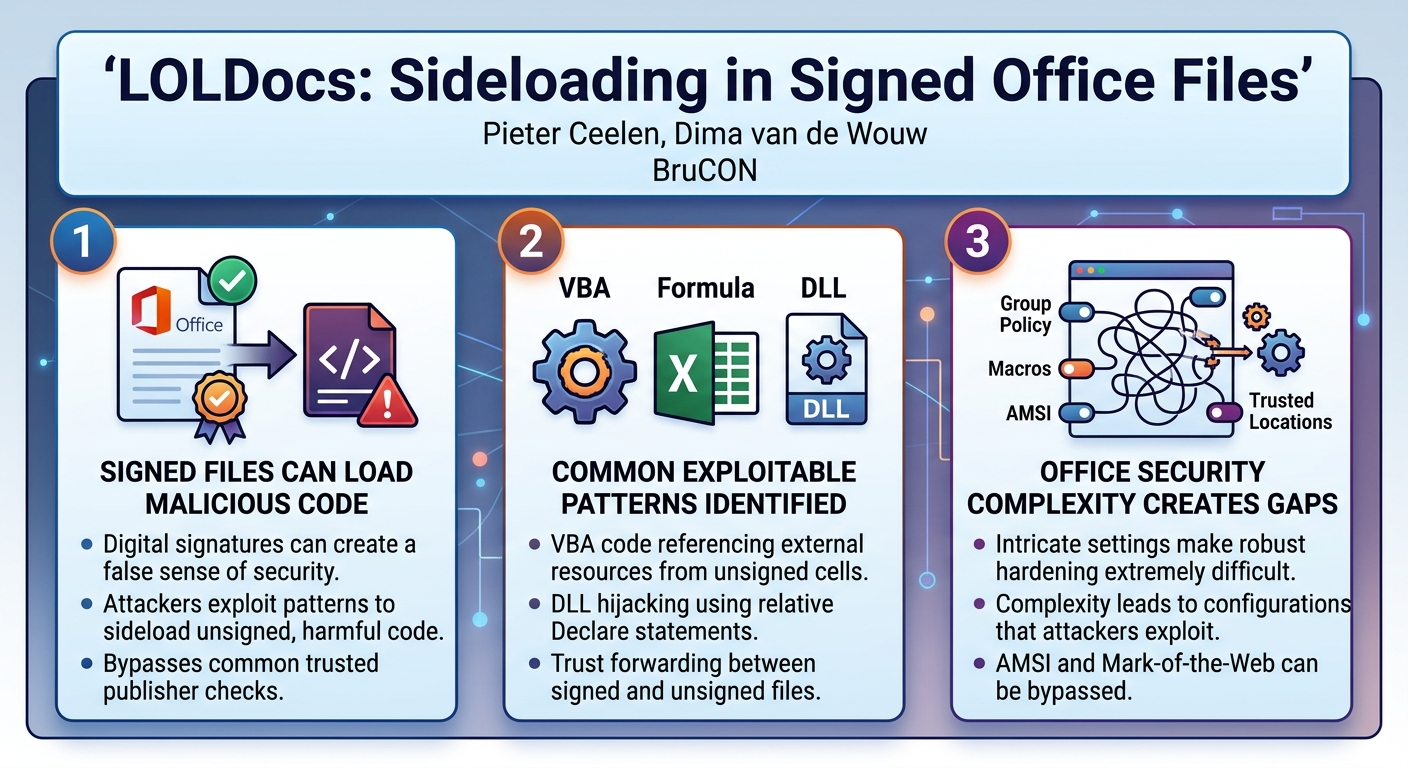
- Signed is Not Secure: A digital signature on an Office document does not inherently guarantee security. Insecure coding patterns can allow signed files to sideload or hijack unsigned, malicious code, bypassing trusted publisher checks.
- Four Vulnerable Patterns: The talk identified four critical coding patterns: VBA code referencing XLL names from unsigned cells,
Declarestatements leading to relative DLL hijacking, trust forwarding throughApplication.RunorWorkbooks.Open, and IAT hijacking in signed XLLs. - Bypass of Core Security Controls: LOLDocs techniques can effectively bypass common security mechanisms like the Mark-of-the-Web (for internal operations) and Antimalware Scan Interface (AMSI), making detection and prevention challenging.
- Office Security Complexity is a Major Flaw: The intricate, often counter-intuitive nature of Office security settings makes robust hardening extremely difficult for organizations, leading to exploitable misconfigurations.
- Critical Need for Code Review and Publisher Scrutiny: Organizations must conduct thorough code reviews for all signed macros and rigorously scrutinize their list of trusted publishers, recognizing that trust in a vendor does not equate to immunity from these vulnerabilities.
- Revocation Challenges for Timestamped Files: Timestamp-signed certificates allow signed files to remain valid indefinitely, posing a significant challenge for revoking trust in compromised or vulnerable documents once they are "in the wild."
About the Speaker(s)
Dima van de Wouw is a red teamer and offensive developer at Outflank. He specializes in building tools and techniques designed to break security defenses, which he then applies in real-world operations, particularly in red team engagements against financial institutions. His work focuses on developing offensive capabilities and conducting security research, including the in-depth investigation into Office code signing vulnerabilities that led to the LOLDocs presentation.
Pieter Ceelen (co-presenter, specific role not detailed in transcript) contributed to the research and presentation, highlighting the collaborative effort behind uncovering these complex Office security bypasses.