Headless Hunter - Automated exploitation of headless Chrome using V8 n-days
Daniel Cooper (Tentu Security)
BSides Canberra IX (2026) · Main Track
Overview
Daniel Cooper's talk, "Headless Hunter," delves into the often-overlooked security risks posed by server-side headless browsers, particularly Google Chrome and Chromium, when used in web applications. While these browsers offer a convenient and cost-effective way to generate dynamic content like PDFs, their deployment often introduces critical vulnerabilities that can lead to remote code execution on the host server. Cooper, a security professional at Tentu Security, highlights that many developers unknowingly configure these browsers with insecure settings, creating a fertile ground for attackers.
Key moments
- 0:00 Introduction to headless browsers and PDF generation
- 2:40 Initial security vulnerabilities: HTML injection and SSRF
- 6:10 The --no-sandbox flag: a common, critical misconfiguration
- 8:30 Deep dive into Chrome's JavaScript heap sandbox (the cage)
- 17:40 Crafting 'address of' and 'fake object' memory primitives
- 20:00 Achieving arbitrary code execution via JIT spray
- 46:50 Live demonstration: Headless Hunter exploiting a vulnerable server
- 52:00 Q&A: Intel MPK and pointer table security discussion
Headless Hunter - Automated exploitation of headless Chrome using V8 n-days
Speakers: Daniel Cooper, Tentu Security
Conference: BSides Canberra
YouTube: https://www.youtube.com/watch?v=d2E2eubtAPc
Overview
Daniel Cooper's talk, "Headless Hunter," delves into the often-overlooked security risks posed by server-side headless browsers, particularly Google Chrome and Chromium, when used in web applications. While these browsers offer a convenient and cost-effective way to generate dynamic content like PDFs, their deployment often introduces critical vulnerabilities that can lead to remote code execution on the host server. Cooper, a security professional at Tentu Security, highlights that many developers unknowingly configure these browsers with insecure settings, creating a fertile ground for attackers.
The core of the talk demonstrates a sophisticated multi-stage exploitation technique that leverages V8 n-day vulnerabilities—previously known and patched flaws in Chrome's JavaScript engine—to achieve arbitrary code execution. Cooper introduces "Headless Hunter," a custom tool designed to automate this complex process across a wide range of Chrome versions, effectively turning what seems like a simple HTML injection into a full server compromise. The talk is crucial for web developers, penetration testers, and security architects who rely on or defend applications using headless browser functionality, emphasizing the importance of understanding the underlying security mechanisms and misconfigurations that enable such powerful attacks.
Background
▶ Watch: Introduction to headless browsers and PDF generation (0:00)
The prevalence of headless browsers in web applications stems from a practical need: generating dynamic content, particularly PDFs, on the server side. Traditional PDF generation libraries can be expensive or complex. In contrast, leveraging an open-source browser like Chromium (the foundation of Google Chrome) via libraries such as Puppeteer offers a free, flexible, and developer-friendly alternative. A common use case is a web application allowing users to download a PDF receipt. The application might take user-provided data (e.g., a name), embed it into an HTML template, and then instruct a headless browser to render this HTML and "print" it to a PDF file.
While convenient, this approach introduces a significant security surface. If user input is not properly sanitized, an attacker can inject arbitrary HTML. This HTML injection can be abused in several ways, akin to Cross-Site Scripting (XSS) but targeting the server-side browser instance rather than a client's session. Initial abuses could include:
- Server-Side Request Forgery (SSRF): An
<img>tag linked to an internal server could force the headless browser (and thus the server) to make requests to internal network resources. - Local File Disclosure: An
<iframe>tag with afile:///URI could potentially leak the contents of arbitrary files on the server.
However, Cooper's talk focuses on a more advanced threat: exploiting Chrome itself to achieve arbitrary code execution on the underlying server. This seems counter-intuitive, as JavaScript is generally considered a safe, sandboxed language within a browser. The feasibility of this attack lies in the immense complexity and optimization of modern browsers. Chrome, in particular, employs multiple layers of security to mitigate its vast attack surface:
- Renderer Process Sandbox (Operating System Sandbox): Chrome isolates web content into separate renderer processes, each running within an operating system-level sandbox. This sandbox prevents a compromised renderer from directly accessing files, network resources, or other processes on the host system. This is why Chrome often shows many processes in task manager—each tab or extension might have its own sandboxed renderer. Crucially, this robust protection can be explicitly disabled by starting Chrome with the
--no-sandboxcommand-line argument.
Cooper points out that this flag is surprisingly common in server-side headless browser deployments. Many online resources, including Stack Overflow posts and even AI code generators, recommend --no-sandbox when running Chrome in environments like Docker containers or Kubernetes pods on Linux. This is because the OS sandbox relies on Linux namespaces and other kernel features, which can sometimes conflict with containerization technologies and seccomp profiles, leading to "weird errors." Developers often resort to --no-sandbox as a quick fix, unaware of its profound security implications. When this flag is used, the operating system sandbox is effectively removed, making the renderer process much more vulnerable.
- JavaScript Heap Sandbox (The Cage): Even with
--no-sandboxenabled, another critical security boundary remains: the JavaScript heap sandbox, or "the cage." This is a self-contained region of virtual memory within the renderer process, designed to restrict JavaScript's memory access. On a 64-bit system, normal pointers are 8 bytes, capable of addressing 2^64 locations. However, within the cage, pointers are typically 4 bytes (2^32 possible addresses). These caged pointers are relative to the start of the cage, meaning they can only point to other memory locations within the cage. This design principle ensures that even if an attacker gains control over memory inside the cage, they cannot directly manipulate pointers to access or execute code outside of it. Furthermore, Chrome developers strive to ensure that no "dangerous executable code" or "power tools" are ever placed inside the cage, preventing an attacker from easily escalating privileges. The challenge then becomes how to escape this cage.
The talk proceeds from the assumption that --no-sandbox is enabled, as it is frequently encountered in real-world scenarios, making the exploitation significantly more feasible.
Key Findings
▶ Watch: The --no-sandbox flag: a common, critical misconfiguration (6:10)
Daniel Cooper's "Headless Hunter" talk presents several key findings and contributions to the field of browser exploitation and web application security:
- Prevalence of
--no-sandboxas a Critical Misconfiguration: A significant finding is the widespread, yet often unwitting, use of the--no-sandboxflag when deploying headless Chrome/Chromium in server-side applications, particularly within containerized environments like Docker. This flag disables the operating system-level renderer sandbox, a crucial security boundary, making the entire server-side browser process much more susceptible to exploitation through HTML injection. - Chained V8 N-Day Exploitation for Code Execution: The talk demonstrates that despite the robust JavaScript heap sandbox (the "cage"), it is possible to chain multiple V8 n-day vulnerabilities—known and patched flaws in Chrome's JavaScript engine—to achieve full arbitrary code execution on the host server. This involves a multi-stage process of gaining initial memory corruption, escalating to arbitrary read/write within the cage, escaping the cage, and finally executing shellcode.
- Novel
address ofandfake objectPrimitives: Cooper details how an array out-of-bounds vulnerability can be leveraged to create powerful primitives:address of(which takes an object and returns its memory address) andfake object(which takes an address and creates a JavaScript object at that location, potentially corrupted). These primitives are foundational for gaining granular control over memory within the JavaScript heap sandbox. - Effective Cage Read/Write and Map Brute-Forcing: The talk showcases a clever technique to achieve arbitrary read/write within the JavaScript cage. This involves carefully manipulating memory layout, crafting fake object structures, and using the
typeofoperator's implementation detail (pointer comparison without dereferencing) to "brute-force" and identify valid object "maps" without crashing the browser. This allows the attacker to control the type and backing store of fake arrays, leading to arbitrary memory access inside the cage. - JIT Spray as an MPK Bypass: A significant technical contribution is the use of JIT spraying to bypass modern CPU memory protections like Intel MPK (Memory Protection Keys), which prevent direct overwriting of executable JIT regions. By leveraging the variable instruction length of Intel CPUs and crafting specific WebAssembly (WASM) code, the exploit can induce Chrome to generate seemingly benign assembly. However, by strategically shifting the execution start point by a few bytes, this benign code is reinterpreted as malicious, leading to arbitrary code execution without requiring direct write access to executable memory.
- Automated Cross-Version Exploitation (Headless Hunter): The culmination of these techniques is "Headless Hunter," a practical tool that automates this complex exploitation. It iteratively attempts various V8 n-day CVEs, dynamically fingerprints the target Chrome version's memory layout (using offset chaining derived from a Cheat Engine-like approach), and constructs a stable exploit chain. This allows the tool to target a broad range of Chrome versions (currently 100-124, with specific exceptions) "blindly," without needing precise version knowledge beforehand.
- User-Friendly Shellcode Execution: Headless Hunter makes arbitrary code execution accessible to users without deep binary exploitation knowledge by abstracting shellcode. It can execute arbitrary shell commands (e.g.,
id,curl) by automatically handling environment variable complexities (like thePATHvariable), even when theproc/self/environfile is unhelpful, by "stealing" environment variables from other processes.
These findings highlight a critical attack vector in modern web applications and provide a detailed blueprint for exploiting headless browser environments, underscoring the necessity for robust defensive measures.
Technical Deep Dive
▶ Watch: Crafting 'address of' and 'fake object' memory primitives (17:40)
The exploitation strategy presented in "Headless Hunter" is a sophisticated, multi-stage process designed to overcome Chrome's layered security. It begins with a JavaScript heap vulnerability and culminates in arbitrary code execution.
The general five-step process is:
- JavaScript Heap CVE: Obtain initial memory corruption capabilities within the JavaScript heap.
- Control Cage Memory: Leverage these capabilities to gain arbitrary read/write access within the JavaScript heap sandbox (the cage).
- Cage Escape (Another CVE): Use a separate vulnerability to break out of the JavaScript heap sandbox.
- Control All Memory: Achieve arbitrary read/write in the full 64-bit address space.
- Run Code: Execute arbitrary shellcode.
Initial Memory Corruption: address of and fake object Primitives
The first step, a JavaScript heap CVE, typically manifests as an array out-of-bounds access. Cooper explains how such a bug can be transformed into two powerful primitives: address of and fake object. These are not built-in JavaScript functions but custom functions implemented by the exploit code.
address of: This primitive takes a JavaScript object and returns its memory address within the cage.- Mechanism: The exploit creates two arrays: a
numbersarray (storing double-precision floating-point numbers) and anobjectsarray (storing references to JavaScript objects). In memory, the backing store for these arrays (where their actual data is held) will contain either the raw numbers or 4-byte caged pointers to objects. An out-of-bounds read on thenumbersarray is triggered. Due to the memory layout, this read "glitches" past the end of thenumbersarray's backing store and accidentally reads a 4-byte caged pointer belonging to theobjectsarray. When this 4-byte pointer is interpreted as part of a double-precision floating-point number by JavaScript, the attacker can perform mathematical operations to reverse-engineer the original 4-byte value. This value is precisely the caged address of the target object.
fake object: This primitive takes a caged memory address and returns a JavaScript object that appears to be at that address.- Mechanism: Similar to
address of, an out-of-bounds write is performed on thenumbersarray. Instead of reading, the exploit writes a crafted double-precision float value. This write, when glitched out-of-bounds, overwrites a 4-byte caged pointer in theobjectsarray's backing store with the attacker-controlled address. Subsequently, accessing that element of theobjectsarray will return an object (potentially corrupted) that JavaScript believes resides at the attacker-specified address.
These two primitives are crucial because they allow the attacker to convert between JavaScript objects and their raw memory addresses, providing a foundation for fine-grained memory manipulation within the cage.
Controlling Cage Memory: Arbitrary Read/Write
With address of and fake object, the exploit can gain full arbitrary read/write access within the JavaScript cage. This involves a clever sequence of memory layout manipulation:
- Adjacent Array Structures: The exploit manipulates JavaScript's garbage collector to place an array header and its backing store directly adjacent in memory.
- Targeting the Map: The
address ofprimitive is used on the array header. By subtracting 4 bytes from this address, the exploit targets the "map" field of a hypothetical object. The map is a 4-byte caged pointer that determines an object's type in V8. - Crafting a Fake Object and Brute-Forcing the Map: A
fake objectis created at this slightly offset address. Initially, this object is corrupted because its map is invalid. However, thetypeofoperator in JavaScript is key here. Whentypeofis used, it checks if the object's map pointer equals a known map (e.g.,K_heap_number_mapfor a number object). Crucially, this is a simple pointer comparison; it does not dereference the map or perform any validation, thus avoiding a crash. The exploit can then iteratively modify the 4-byte map field (e.g., by adding 4 bytes at a time) and checktypeofuntil it successfully identifies a valid map, such as theK_heap_number_map. - Leaking Further Information: Once the fake object is successfully "typed" as a number, its subsequent 8 bytes in memory are interpreted as the number's value (double-precision float). These 8 bytes happen to correspond to the map pointer of the original array. This leaks another critical map pointer.
- Arbitrary Cage Read/Write: Using this newly leaked map, the exploit crafts a fake array structure in memory. By controlling the "backing store" pointer of this fake array, the attacker can make this array's data point to any location within the cage. This grants arbitrary read/write access across the entire JavaScript heap sandbox.
Cage Escape and Full Memory Control
The third step is to escape the cage. The speaker acknowledges that due to time constraints, this part is presented as a black box. It relies on another V8 n-day CVE that, when combined with the existing arbitrary cage read/write, allows the attacker to achieve arbitrary read/write in the full 64-bit address space of the process. This means the exploit is no longer confined to the 4-byte pointer limitations of the cage.
Running Code: JIT Spray and MPK Bypass
With arbitrary 64-bit read/write, the goal is to execute arbitrary code. Traditionally, this involves overwriting a Just-In-Time (JIT) compiled function's code with malicious assembly. JIT compilation is how Chrome executes JavaScript quickly: it compiles frequently run JavaScript into native machine code (assembly), which resides in read-write-execute (RWX) memory regions.
However, modern CPUs, especially Intel ones, implement Memory Protection Keys (MPK). MPK allows the operating system to efficiently remove write access from JIT regions when they are not actively being compiled, preventing attackers from easily overwriting them. When Chrome needs to JIT compile, it temporarily grants write access, then revokes it. This means that during an exploit, the JIT regions are typically not writable.
To bypass MPK, Headless Hunter employs a JIT spray technique:
- WASM Code Generation: Instead of trying to overwrite existing JIT code, the exploit uses WebAssembly (WASM). WASM allows for precise control over the generated machine code. The exploit crafts WASM code that, when JIT compiled by Chrome, generates assembly that appears harmless (e.g., loading and discarding a float).
- Variable Instruction Length Abuse: Intel CPUs have variable instruction lengths. This means that if you start executing code in the middle of an instruction, the CPU might interpret the byte sequence completely differently. The crafted WASM assembly is designed such that if execution starts two bytes into a specific instruction, the CPU interprets it as a malicious instruction sequence, potentially leading to a
syscall(e.g.,execveto spawn a shell). - Finding and Manipulating the JIT Pointer: The challenge is to make the CPU start execution two bytes into the generated WASM assembly. The actual 64-bit pointer to the WASM JIT code is not stored in the cage. Instead, the JavaScript heap holds an index into a pointer table (outside the cage), which in turn contains the 64-bit pointer to the WASM JIT.
- Offset Chaining: To find this critical 64-bit pointer, the exploit uses a technique inspired by game hacking tools like Cheat Engine. By taking multiple memory snapshots of Chrome running legitimately, the exploit identifies stable "pointer chains"—sequences of offsets and dereferences from a known object in the JavaScript heap that consistently lead to the WASM JIT pointer.
- Once the address of the WASM JIT pointer in the pointer table is found, the exploit uses its arbitrary 64-bit write primitive to modify this pointer by adding 2 bytes to its value. When Chrome then attempts to execute the WASM function, it will jump to this modified address, effectively starting execution two bytes into the JITted assembly, triggering the malicious code.
Shellcode Execution
The final piece is the actual shellcode. To make the tool user-friendly, Headless Hunter aims to allow users to specify simple shell commands (e.g., id). This requires the shellcode to properly set up the execution environment, particularly the PATH environment variable, which tells the operating system where to find executables. While proc/self/environ is typically used to read environment variables, Cooper found it unreliable in Chrome's context (likely due to memory overwrites). The solution was to "steal" the PATH from another process, a somewhat "cursed" but effective workaround, enabling the shellcode to successfully execute user-specified commands like id without requiring fully qualified paths (e.g., /bin/id).
This intricate dance of memory corruption, type manipulation, and JIT abuse showcases the depth of modern browser exploitation and the ingenuity required to bypass sophisticated security mechanisms.
Demo / Proof of Concept
▶ Watch: Achieving arbitrary code execution via JIT spray (20:00)
Daniel Cooper demonstrated the Headless Hunter tool through several recorded videos, highlighting its practical application and capabilities. The tool itself was released and made live on the morning of the talk, available on GitHub. It currently supports Chrome versions 100 to 124, with the notable exception of version 114, for which a working bug was not found.
Scenario 1: Exploiting a Vulnerable Web Application
The primary demonstration involved a web server that simulated a common real-world scenario: a "receipt generator" application. Cooper humorously noted that this vulnerable web server was actually written by an AI with a single prompt, which "hard-coded the vulnerability in without me asking for it."
- Vulnerability: The web server used Puppeteer to generate PDFs from user-provided HTML, but critically, it failed to sanitize user input, leading to a direct HTML injection vulnerability. Furthermore, the AI-generated code, like many online examples, included the
--no-sandboxflag by default when launching Chrome. - Attack: Headless Hunter was configured to listen on a specific port and execute the
idcommand upon successful exploitation. The attacker then injected an<iframe>tag into the receipt input field. Thesrcattribute of this<iframe>pointed directly to the Headless Hunter server. - Result: When the headless browser rendered the receipt HTML, it loaded the
<iframe>, which in turn fetched and executed Headless Hunter's payload. The Headless Hunter console displayed "Browser has been pwned" and successfully executed theidcommand, revealinguid=0(root). This indicated that the command was run with root privileges, likely because the headless browser was operating within a Docker container without proper privilege separation.
Scenario 2: Exploiting Non-Headless Chrome with --no-sandbox
This demo illustrated that Headless Hunter isn't strictly limited to headless environments, as long as the --no-sandbox flag is present.
- Setup: Chrome was manually launched in a visible (non-headless) mode, but with the essential
--no-sandboxcommand-line argument. - Attack: Instead of an
<iframe>injection, the browser was directly navigated to the URL of the Headless Hunter payload. - Result: The Chrome browser instance "died" (crashed, which is a common side effect of memory corruption exploits), but the
idcommand was successfully executed in the background, confirming the exploit's effectiveness even in a visible browser.
Scenario 3: Automated Version Testing
Cooper demonstrated a custom Python script he developed to automate the testing of Headless Hunter across a vast array of Chrome versions. This script was crucial for the development and maintenance of the tool.
- Process: The Python script iterated through "a gazillion Chrome versions" (likely by downloading different Chromium binaries). For each version, it used Headless Hunter to attempt a command execution (e.g., creating a specific file like
attempt/proof). - Verification: The script then checked for the successful creation of the designated file.
- Purpose: This automated testing allowed Cooper to quickly identify which Chrome versions were supported, which ones required fixes, and to detect any regressions in the exploit, significantly streamlining the development process.
These demonstrations effectively showcased Headless Hunter's capability to automate complex multi-stage browser exploitation against real-world, misconfigured headless browser deployments, yielding direct code execution on the host system.
Defensive Implications
▶ Watch: Q&A: Intel MPK and pointer table security discussion (52:00)
The "Headless Hunter" talk delivers critical insights for defenders, highlighting the severe risks associated with misconfigured headless browser deployments and the sophistication of modern browser exploitation. To mitigate these threats, defenders should implement the following measures:
- Strict Input Sanitization: This is the most fundamental and immediate defense. Any user-supplied content that is rendered by a server-side headless browser (whether for PDF generation, screenshotting, or other purposes) must be rigorously sanitized. This means escaping all potentially malicious HTML, JavaScript, and CSS characters. Do not rely solely on client-side validation, as it can be bypassed. Implement robust server-side sanitization using well-vetted libraries.
- Avoid
--no-sandboxat All Costs: The--no-sandboxflag disables a critical operating system-level security boundary, making the headless browser vastly more vulnerable. Developers must understand its implications and never use it in production environments. If facing issues in containerized environments (Docker, Kubernetes) due toseccompor namespace conflicts, investigate proper container security configurations (e.g., customseccompprofiles, appropriate Docker run flags) that allow the sandbox to function, rather than disabling it. - Principle of Least Privilege: Run headless browser processes with the absolute minimum necessary privileges. If a compromise occurs, limiting the process's permissions (e.g., not running as
rootin a Docker container, restricted file system access, network egress limitations) can significantly reduce the impact of a successful exploit. - Keep Chrome/Chromium Updated: The "Headless Hunter" tool explicitly targets n-day vulnerabilities in V8. Regularly updating Chrome or Chromium to the latest stable version is crucial to patch known flaws and reduce the window of vulnerability. Implement automated patching mechanisms for server-side browser instances.
- Monitor Headless Browser Activity: Implement robust logging and monitoring for processes associated with headless browsers. Look for unusual activity such as:
- Outbound network connections to suspicious or unexpected destinations (potential SSRF).
- Attempts to access or modify sensitive files on the server.
- Spawning of new, unexpected processes (e.g.,
bash,sh,curl). - Unusual CPU or memory usage patterns.
- Consider Purpose-Built Libraries: For static PDF generation or simple HTML-to-PDF conversions, evaluate purpose-built PDF generation libraries that do not involve rendering arbitrary HTML/JavaScript in a full browser engine. These libraries often have a smaller attack surface. If dynamic content and full browser rendering capabilities are truly required, ensure all other defensive layers are meticulously implemented.
- Network Segmentation: Isolate headless browser services on a dedicated network segment with strict firewall rules. Limit their ability to connect to internal services unless absolutely necessary, and only to specific ports and protocols. This can contain potential SSRF and reduce the lateral movement capabilities of an attacker.
- Secure Container Configuration: If using Docker or Kubernetes, ensure containers are configured securely. Use minimal base images, avoid running as root, and apply appropriate security contexts and seccomp profiles to restrict container capabilities.
By adopting a defense-in-depth strategy that addresses both application-level vulnerabilities (sanitization) and underlying infrastructure security (sandboxing, least privilege, patching), organizations can significantly reduce their exposure to the sophisticated attacks demonstrated by Headless Hunter.
Key Takeaways
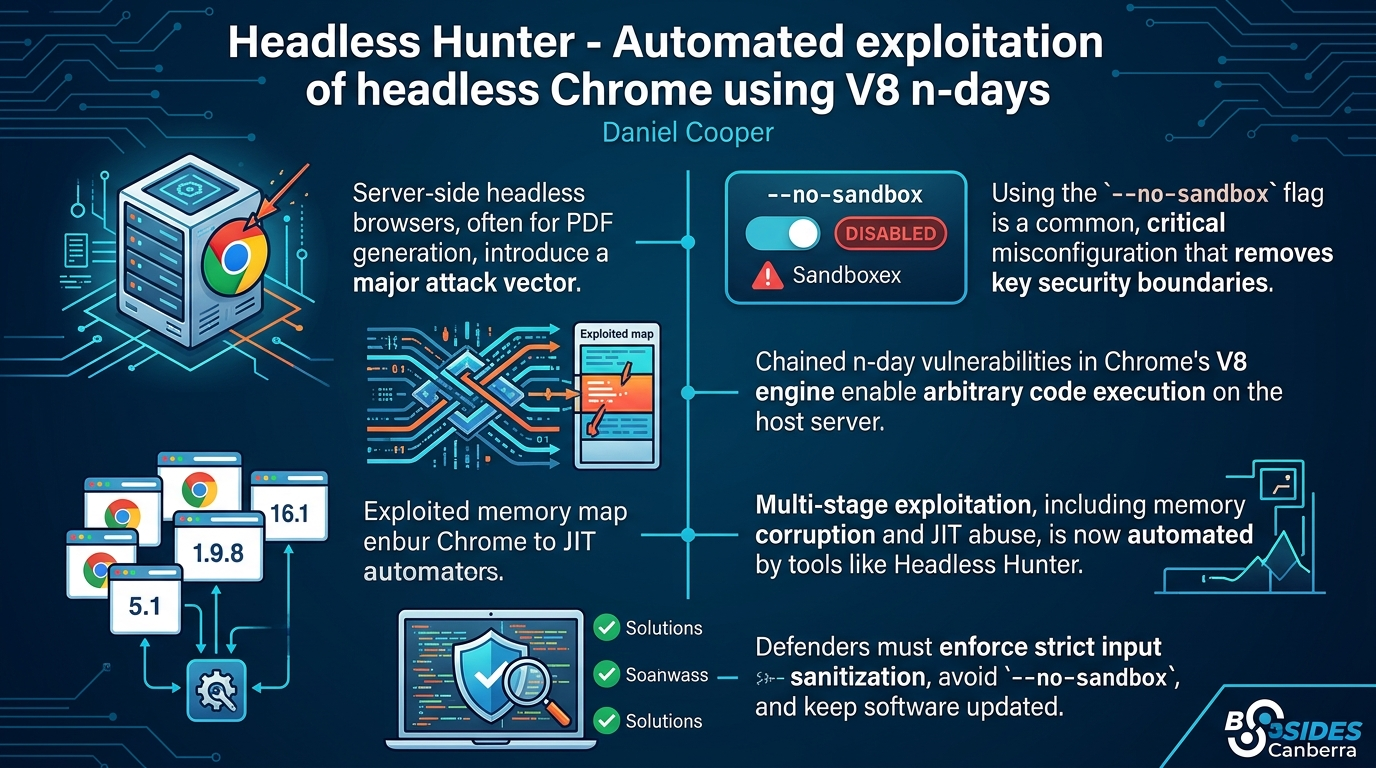
- Headless browsers are a significant attack vector: Server-side headless Chrome/Chromium deployments, often used for PDF generation, introduce a critical attack surface if user input is not sanitized, leading to HTML injection.
--no-sandboxis a critical misconfiguration: The widespread use of the--no-sandboxflag, often due to ease of deployment in containerized environments, disables a fundamental security boundary and makes these services highly vulnerable to code execution.- V8 n-days enable full server compromise: Even with advanced browser security, chained n-day vulnerabilities in Chrome's V8 JavaScript engine can be exploited to achieve arbitrary code execution on the host server.
- Complex exploitation is now automated: Tools like Headless Hunter demonstrate that multi-stage browser exploitation, including memory corruption, cage escape, and JIT spray, can be automated across many Chrome versions, making these attacks more accessible.
- JIT spraying bypasses modern CPU protections: Techniques like JIT spraying effectively bypass advanced CPU memory protections such as Intel MPK by leveraging the nuances of instruction interpretation and pointer manipulation.
- Defenders must act decisively: Robust defenses include strict input sanitization, avoiding
--no-sandbox, maintaining up-to-date software, operating with the principle of least privilege, and comprehensive monitoring of headless browser processes.
About the Speaker(s)
Daniel Cooper is a security professional working at Tentu Security. His work primarily involves penetration testing web applications, which has given him firsthand experience with common web application vulnerabilities, including those related to PDF generation functionality. His research and development of the Headless Hunter tool stem directly from these practical observations, aiming to provide a deeper understanding and a practical exploitation tool for this specific attack surface.
Reviews
Dr. Zero (Offensive Security Researcher) — SOLID
Solid offensive research that turns a common misconfiguration into reliable RCE across 20+ Chrome versions. The technical chain is real—array OOB to cage escape to JIT spray—and the tooling actually ships. Not groundbreaking primitives, but excellent applied work that will get used.
Heather Calloway (CISO) — SOLID
This is consequential work for anyone running headless browser infrastructure. The attack chain is real, the misconfiguration is endemic, and the tool is now public. Your application security team needs to audit every PDF generation service by end of week.